キーホルダーについて
販売:
このデザインについて
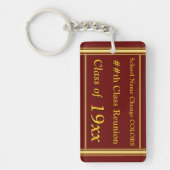
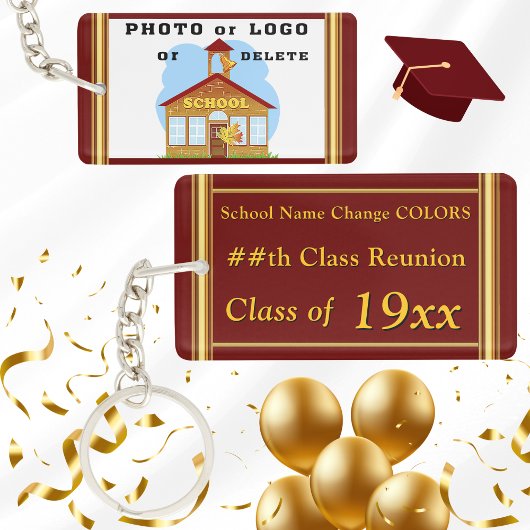
Photo Personalized Class Reunion Gifts, Souvenirs キーホルダー
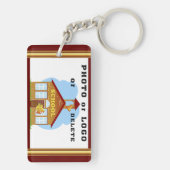
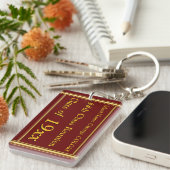
Photo Personalized Class Reunion Gifts, Souvenirs. CHANGE to ANY COLORS, YEAR, OCCASION or PRODUCT. Personalized, Class Reunion Keychains. You or CALL Designer Linda: 239-949-9090 10am to 6pm ET can CHANGE the Maroon Burgundy Background and Gold Font/Text to your SCHOOL COLORS. DELETE the the School Logo or School Photo TEMPLATE to EXPOSE a Gold Graduation Cap. DELETE any or all TEXT and DESIGNS to Create your own Keychain Design. Personalized gifts for 50th class reunion, 40th class reunion favors, 30th, 20 year class reunion or any year. You can also TRANSFER this Design to more than 1000 other, personalized class reunion gift, class reunion party supplies, high school reunion souvenirs, decorations and more.
See BELOW on HOW to make Design, Color and Product CHANGES or Call, me, Designer Linda to make all those changes for you.
* * * To TRANSFER DESIGNS:
Scroll Down. Below “TRANSFER a Design to a Product” either,
Scroll to the Right to See a Few Product Suggestions OR,
Click “VIEW ALL PRODUCTS” and Enter Desired Product Choice in the “Search for a Blank Product” Box. Select a Product. When available
Select from different Style, Size, Shapes, etc. Make your Changes because they are Fully CUSTOMIZABLE or CALL Designer Linda for HELP.
* * * FULLY CUSTOMIZABLE. Make CHANGES BEFORE you ORDER.
* * * FULLY CUSTOMIZABLE. Make CHANGES BEFORE you ORDER.
WHAT you SEE is WHAT you will RECEIVE.
* Click "PERSONALIZE this Design" Button *
Delete Temporary Text.
Type in YOUR TEXT or DELETE.
* * * CLICK "EDIT USING DESIGN TOOL" to make MORE CHANGES:
Button located BELOW the Last TEXT BOX or IMAGE TEMPLATE.
* You can DELETE Design Layers, Text and Image Template. CHANGE COLORS of some Backgrounds and Font/Text (change Font Style), MOVE and RESIZE Designs, Text and Images.
* SELECT each Design Layer or Text, in the LEFT LAYERS COLUMN or Directly on the Design to Move, Resize, Change Background Color (background may be covered by a design that you can DELETE) and Text Colors.
* RESIZE Designs and Font/Text in RIGHT COLUMN.
RESIZE by entering a smaller or larger SIZE NUMBER or use the "- or +" Symbols. Change Font Style, Size, Colors, etc. MOVE Text and Designs.
* Change BACKGROUND COLOR: In LEFT LAYER COLOR. Click “BACKGROUND.” Choose one of the tiny Color Box, closest to your desired color. CLICK “+” Button and SLIDE the TWO COLOR SLIDERS for ANY COLOR Background.
* Change FONT COLOR: Select Text Layer. Click the Tiny Color Box in Right Column. Choose from a small selections of Color Boxes OR, better yet, Click “CUSTOM COLOR PICKER” tiny blue link. Slide the TWO Color Sliders to get ANY COLOR Text.
WHAT you SEE is WHAT you will RECEIVE.
We have HUNDREDS more, Class Reunion Ideas HERE:
https://www.zazzle.com/store/littlelindapinda/products?cg=196383779087774197

カスタマーレビュー
5つ星評価のうち星4.0全レビュー数 1
レビュー:1
類似商品のレビュー
5つ星評価のうち星4
たろう2021年2月3日 • 認証済みのご注文
Zazzleレビュープログラム
プレゼントにとても喜ばれました!
丈夫で記念にもなりよかったと思います。また利用したいと思います。 希望通りで画質もよかったです。
まて利用させていただきます!
タグ
その他の情報
商品 ID: 256861345473351350
出品日: 2025/9/21 15:34
レーティング: G
最近閲覧された商品