アクセントクッションについて
販売:
このデザインについて
Tile Design With Your Image On 100 Dollar Images アクセントクッション
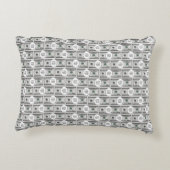
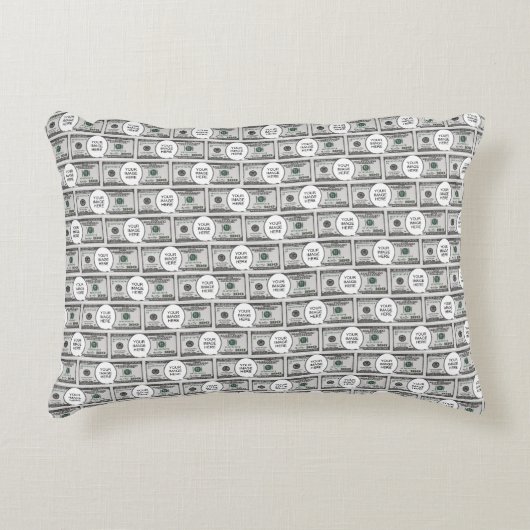
Decorative cushion featuring a design made of 100 dollar bills carrying your image of choice. Suitable for fun. To insert your image follow these steps:
1. Choose the "Edit using design" button to go the editing section.
2. Choose "Layers" option on the left menu panel.
3. Select the layer containing the dollar bill and "Your Image Here"
4. Choose the "Ungroup" icon from the menu panel that appears at the screen
top.
5. Select the "Your Image Here" layer from the "Layers" panel.
6. Choose "Change Image" from the menu panel that appears at the screen top.
7. Upload your image, drag to position it as required, and resize it, using the
"Scale" option under the "Formatting" menu.
8. While the image layer is selected, hold down the Shift key and select the
dollar layer so that both layers are selected.
9. Choose the "Group" icon on the top menu panel to group the layers.
10. To create the pattern, choose "Effects" on the top menu panel, then choose
"Half Brick" under "Tiling" on the "Image Effects" Panel.
11. To resize the components of the pattern, use the tools under "Tile Size"
below. Around 6.1 width and 2.65 height were used for the design.
12. To do the back of the product, make sure the layer is selected on the Layers
panel, then copy it.
13. Select the icon on the right for the back of the product, delete the current
design, and then paste the copied design.
14. Follow the instructions on the top-right button to checkout.
カスタマーレビュー
5つ星評価のうち星5.0全レビュー数 1
レビュー:1
類似商品のレビュー
5つ星評価のうち星5
t.2018年1月26日 • 認証済みのご注文
グレードAコットン アクセントクッション 40.64cm x 30.48cm
Zazzleレビュープログラム
素晴らしい!とても張りのある素敵なクッションです。もっと大きなものにすればよかったと思いました。 素晴らしい!印刷はきれいに仕上がっていました。満足です。
タグ
その他の情報
商品 ID: 256158037896070711
出品日: 2026/2/21 14:30
レーティング: G
最近閲覧された商品