ネクタイについて
販売:
このデザインについて
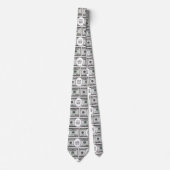
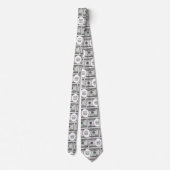
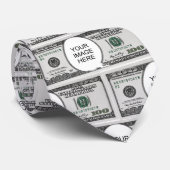
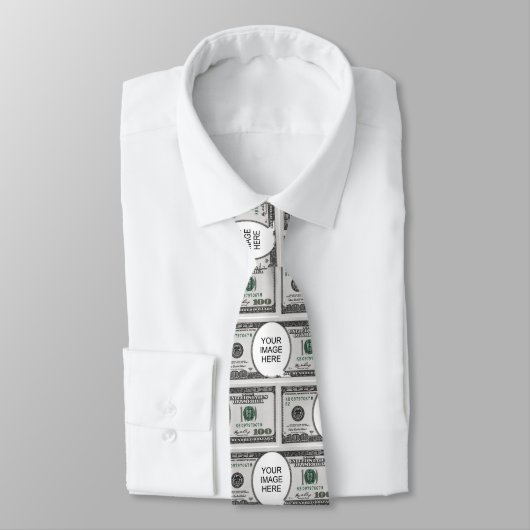
Tile Design With Your Image On 100 Dollar Images ネクタイ
Necktie featuring a design made of 100 dollar bills carrying your image of choice. Suitable for fun. To insert your image follow these steps:
1. Choose the "Edit using design" button to go the editing section.
2. Choose "Layers" option on the left menu panel.
3. Select the layer containing the dollar bill and "Your Image Here"
4. Choose the "Ungroup" icon from the menu panel that appears at the screen
top.
5. Select the "Your Image Here" layer from the "Layers" panel.
6. Choose "Change Image" from the menu panel that appears at the screen top.
7. Upload your image, drag to position it as required, and resize it, using the
"Scale" option under the "Formatting" menu.
8. While the image layer is selected, hold down the Shift key and select the
dollar layer so that both layers are selected.
9. Choose the "Group" icon on the top menu panel to group the layers.
10. To create the pattern, choose "Effects" on the top menu panel, then choose
"Half Brick" under "Tiling" on the "Image Effects" Panel.
11. To resize the components of the pattern, use the tools under "Tile Size"
below. Around 6.1 width and 2.65 height were used for the design.
12. To do the back of the product, make sure the layer is selected on the Layers
panel, then copy it.
13. Select the icon on the right for the back of the product, delete the current
design, and then paste the copied design.
14. Follow the instructions on the top-right button to checkout.
カスタマーレビュー
5つ星評価のうち星4.1全レビュー数 24
レビュー:24
類似商品のレビュー
5つ星評価のうち星5
やすべぇ2022年11月8日 • 認証済みのご注文
ネクタイ
Zazzleレビュープログラム
健康診断のネタになったので良かったです。 表面はきれいにプリントされていましたが、折り返し部分にも5ミリ程度色がついていると、ネクタイを締めた部分に白い線が出なくていいと思いました。
5つ星評価のうち星4
Chiaki I.2023年4月5日 • 認証済みのご注文
ネクタイ
Zazzleレビュープログラム
スムーズに届きました!
思っていたデザインの物がありすぐ購入しました! 作りが表面のみの印刷なので裏の白い部分が少し気になりましたが許容範囲です。
5つ星評価のうち星3
丸山剛志2021年6月5日 • 認証済みのご注文
ネクタイ
Zazzleレビュープログラム
電子回路設計を仕事にしているので、こういったものを探していました。デザインは気に入っています。 商品説明の写真のような精細さを期待していましたが、現物は全体的にぼやけています。
裏地は白なんですが、黒の滲みこみもあるので裏面全体を黒にしてもらいたいですね。
拡大写真ですが、袋から出して袋の反射がない状態です。
このクォリティーなら購入はお勧めできません。
タグ
その他の情報
商品 ID: 256365367258553457
出品日: 2026/2/22 7:01
レーティング: G
最近閲覧された商品