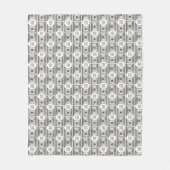
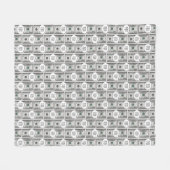
Tile Design With Your Image On 100 Dollar Images  フリースブランケット (正面)Tile Design With Your Image On 100 Dollar Images  フリースブランケット (裏面)Tile Design With Your Image On 100 Dollar Images  フリースブランケット (正面(横))
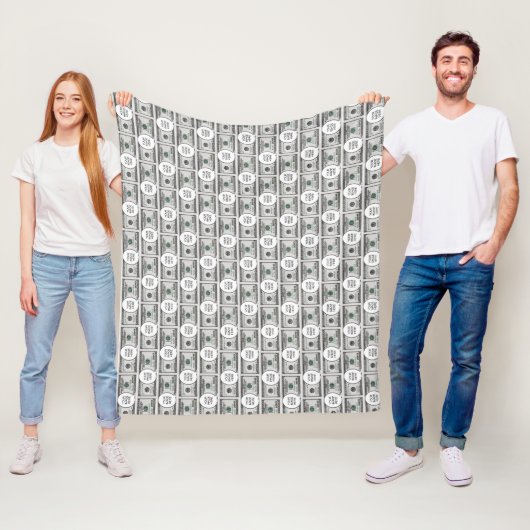
Tile Design With Your Image On 100 Dollar Images  フリースブランケット (インサイチュ)
¥10,100
フリースブランケットにつき
 

Tile Design With Your Image On 100 Dollar Images フリースブランケット

5つ星評価のうち星4.6
全レビュー数 5
| Old Man's Storeによるデザイン
商品の詳細を見る

このカテゴリの他のデザイン

フリースブランケットについて

販売:

サイズ: フリースブランケット 127 x 152.4cm

ちょっと肌寒いときに丸くなりたくても、何か羽織るものがないとさみしいもの。そこでカスタムフリースブランケットの出番です。正面部分をお好みのデザインにカスタマイズできます。デリケートでソフト、カラフルなブランケットはピクニックやアウトドアにもぴったり。体を優しく温かく包み込む自分へのご褒美を早速手に入れましょう!

  • 3サイズをご用意: スモール (76.2cm x 101.6cm)、ミディアム (127cm x 152.4cm)、ラージ (152.4cm x 203.2cm)
  • 快適で柔らかな手触りのポリエステルフリース100%
  • エッジまでの鮮やかなフルカラー昇華プリント
  • 頑丈ですっきりとしたダブルエッジステッチ
  • 裏面はオフホワイト
  • 弱水流、中性洗剤使用で洗濯機洗い
  • 乾燥機低温
2歳以上対象

このデザインについて

Tile Design With Your Image On 100 Dollar Images  フリースブランケット

Tile Design With Your Image On 100 Dollar Images フリースブランケット

Fleece blanket featuring a design made of 100 dollar bills carrying your image of choice. Suitable for fun. To insert your image follow these steps: 1. Choose the "Edit using design" button to go the editing section. 2. Choose "Layers" option on the left menu panel. 3. Select the layer containing the dollar bill and "Your Image Here" 4. Choose the "Ungroup" icon from the menu panel that appears at the screen top. 5. Select the "Your Image Here" layer from the "Layers" panel. 6. Choose "Change Image" from the menu panel that appears at the screen top. 7. Upload your image, drag to position it as required, and resize it, using the "Scale" option under the "Formatting" menu. 8. While the image layer is selected, hold down the Shift key and select the dollar layer so that both layers are selected. 9. Choose the "Group" icon on the top menu panel to group the layers. 10. To create the pattern, choose "Effects" on the top menu panel, then choose "Half Brick" under "Tiling" on the "Image Effects" Panel. 11. To resize the components of the pattern, use the tools under "Tile Size" below. Around 6.1 width and 2.65 height were used for the design. 12. To do the back of the product, make sure the layer is selected on the Layers panel, then copy it. 13. Select the icon on the right for the back of the product, delete the current design, and then paste the copied design. 14. Follow the instructions on the top-right button to checkout.

カスタマーレビュー

5つ星評価のうち星4.6全レビュー数 5
5つ星レビュー計3件4つ星レビュー計2件3つ星レビュー計0件2つ星レビュー計0件1つ星レビュー計0件
レビュー:5
類似商品のレビュー
5つ星評価のうち星5
a.2018年2月2日認証済みのご注文
フリースブランケット, ミディアム 127cm x 152.4cm
クリエイターレビュー
肌触りが柔らかく暖かいです。オリジナルのブランケットがこの値段で買えるのは安いと思います。ミディアムサイズも欲しくなっちゃいますね。 色合い画質共に綺麗な仕上がりで、とても満足しました。
5つ星評価のうち星5
Mayumi K.2022年2月23日認証済みのご注文
フリースブランケット, スモール 76.2cm x 101.6cm
Zazzleレビュープログラム
すぐに到着したので、バレンタインに間に合い、すごく喜んでもらえたのでよかったです。お値段の割に全然よく印刷されていたと思います
5つ星評価のうち星5
J.2017年11月27日認証済みのご注文
フリースブランケット, スモール 76.2cm x 101.6cm
Zazzleレビュープログラム
愛犬へのプレゼントに購入しました。 肌触りが良くて、とても柔らかいです。 プリントも綺麗なので、ギフトにすると喜ばれると思います。 とても綺麗なプリントです。 カラフルな物も綺麗にプリントされると思うので、 次回はカラフルな物を自分用に購入したいと思います。

タグ

フリースブランケット
funhappyhopefulmoneybillcashdollarsjoke
全ての商品
funhappyhopefulmoneybillcashdollarsjoke

その他の情報

商品 ID: 256014329033593690
出品日: 2026/2/22 5:19
レーティング: G